
How to Add AI to an Existing Business System Without Rebuilding It
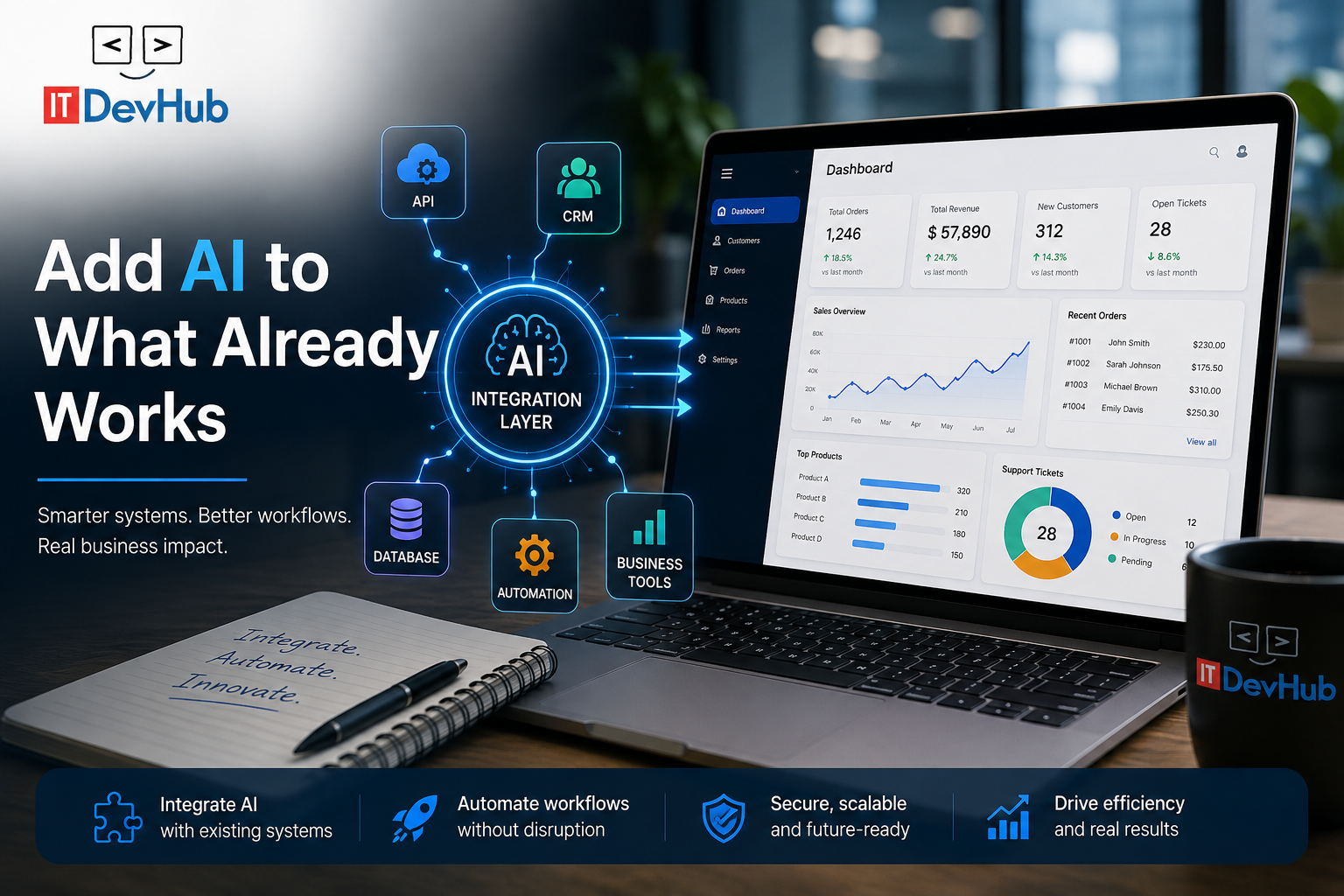
Your business may not need a completely new AI platform. Sometimes the smarter approach is to make the system you already have work better.
Businesses often come to us with a familiar problem.
They already have a website, CRM, database, mobile app, SaaS platform or custom business software. It may have been running for years. It may not be perfect, but it works.
Then comes the question:
"Can we add AI to this without rebuilding the whole system?"
In many cases, the answer is yes.
At ITDevHub, we've worked with existing websites, custom applications, APIs, databases and business platforms where the goal was not to replace everything, but to modernize what was already there.
And one lesson keeps coming up:
Adding AI to an existing system is usually more about understanding the business process than choosing an AI model.
In this article
- Why AI does not always require a rebuild
- Start with the business process
- How AI can connect to existing systems
- Where AI can create real value
- Why integration is the difficult part
- Keeping AI within business rules
- What to do with legacy software
- A practical implementation approach
- Should you rebuild or integrate?
The First Mistake: Assuming AI Means Rebuilding Everything
When businesses think about AI, they often imagine a completely new platform.
A new AI website. A new chatbot. A new CRM. A new application. A new database.
That can quickly turn an AI initiative into a large software replacement project.
But if the existing system already contains valuable business logic and data, throwing it away may not make sense.
An existing business system may already handle:
- Customer accounts
- Orders and transactions
- Products and inventory
- Property information
- Leads and enquiries
- Invoices and payments
- Support requests
- Staff workflows
- Reporting
- User permissions
- Third-party API integrations
The question should not always be:
"How do we replace this system with AI?"
A better question is:
"Where can AI make this existing system significantly more useful?"
Start With the Business Process, Not the AI
One of the biggest lessons we've learned is that AI should not be the starting point.
The starting point should be the problem.
Imagine a company receiving hundreds of customer enquiries every month.
Employees may spend hours:
- Reading enquiries
- Looking up customer information
- Searching product details
- Checking order status
- Writing repetitive responses
- Updating the CRM
- Creating support tickets
- Forwarding complex requests
The business might say:
"We need an AI chatbot."
Maybe.
But the bigger opportunity could be an AI-powered workflow that understands the request, retrieves information, prepares a response, updates the CRM and escalates complex cases to a human.
That's no longer just a chatbot. That's AI integrated into a business workflow.
How AI Can Connect to Your Existing System
Instead of replacing the existing application, we often look at adding an intelligent integration layer around it.
Existing Website / SaaS / Mobile App
↓
AI Integration & Automation Layer
↓
APIs
Database
CRM / Business Tools
↓
AI Response / Recommendation / Business Action
The existing system can remain responsible for its core business logic while AI becomes an additional layer for understanding information, assisting users and automating defined workflows.
Where AI Can Actually Add Value
Not every part of a business needs AI. In fact, the best implementations usually start small.
Customer Support
AI can answer common questions using your own approved business information and potentially retrieve customer or order information through existing systems.
Lead Qualification
AI can analyse enquiries, identify requirements, understand intent and pass structured information into your CRM.
Document Processing
AI can extract structured information from PDFs, documents, emails and other business content.
Internal Knowledge
Employees can search company knowledge and documentation using natural language instead of manually searching through multiple files.
CRM Automation
AI can help classify leads, summarise conversations, prepare records and trigger defined follow-up workflows.
Reporting & Summaries
AI can turn large amounts of operational information into concise summaries, reports and actionable insights.
The Difficult Part Is Usually the Integration
Building a demo AI assistant is relatively easy.
Making it useful inside a real business is different.
The AI needs access to the right information. That can mean connecting it with:
- REST APIs
- Databases
- CRM systems
- ERP platforms
- Helpdesk software
- E-commerce platforms
- Custom business applications
- Authentication systems
- Payment platforms
- Internal business tools
A chatbot that says:
"Please check your order status on our website."
is easy to build.
An AI assistant that securely checks the customer's actual order and responds with the correct information requires proper system integration.
The integration is where much of the real engineering work happens.
Don't Give AI Unlimited Access
AI should not automatically be allowed to do everything inside a business system.
A good AI implementation needs clearly defined permissions and business rules.
AI may be allowed to:
- Read approved customer information
- Search the knowledge base
- Create support tickets
- Draft emails
- Recommend actions
- Summarise conversations
Human approval may be required for:
- Issuing refunds
- Changing sensitive customer information
- Cancelling orders
- Sending confidential information
- Financial or high-risk decisions
The objective isn't to give AI access to everything. It is to give AI exactly the access it needs to perform a useful job.
Your Existing Data Matters More Than You Think
Many companies have years of valuable information inside their existing systems.
But that information may be inconsistent, duplicated, outdated, poorly structured or distributed across multiple platforms.
AI doesn't automatically fix bad business data.
Before introducing AI, ask:
- What information do we have?
- Where does it live?
- Who owns it?
- How accurate is it?
- How frequently does it change?
- Can AI access it securely?
- What information should never be exposed?
Good AI implementation starts with good information architecture.
What If Your Existing Technology Is Old?
This is one of the questions we hear frequently.
A business may have a platform that was built years ago using technologies that are no longer considered modern.
That doesn't automatically mean the entire system needs to be replaced.
A gradual modernization strategy may look like:
Existing / Legacy System
↓
API & Integration Layer
↓
Modern Services & Automation
↓
AI Capabilities
This can allow a business to modernize gradually while continuing to use the systems and data it already depends on.
Don't Automate Everything on Day One
Trying to build a giant AI platform immediately can increase cost, complexity and risk.
We recommend a more practical approach.
STEP 1
Identify One Valuable Problem
Choose a repetitive, high-volume, measurable process where automation could create meaningful value.
STEP 2
Understand the Existing System
Review the architecture, APIs, database, CRM, business rules and existing integrations.
STEP 3
Introduce AI
Give AI a clearly defined role with controlled access to the required business information.
STEP 4
Keep Humans Involved
Create clear escalation and approval processes for situations requiring human judgment.
STEP 5
Measure the Result
Track time saved, accuracy, automation rate, response time, productivity and business outcomes.
STEP 6
Expand Gradually
Once the first workflow is reliable, identify the next process that can benefit from AI.
What We'd Do Differently Today
1. Define the Business Outcome First
Don't start with: "We want an AI chatbot."
Start with: "We want to reduce the time our team spends processing customer enquiries."
2. Map the Existing System Before Changing It
Understand the website, application, database, APIs, integrations and business rules before deciding what needs to change.
3. Start With One Measurable Workflow
A small automation that produces measurable value is often more useful than a large AI project that takes months to launch.
So, Should You Rebuild Your System for AI?
Not necessarily.
If your existing website, SaaS platform or business software already works, there may be a better option.
You may be able to add:
- AI assistants
- AI-powered search
- Business process automation
- Document processing
- Intelligent customer support
- Lead qualification
- CRM automation
- Data extraction
- AI reporting
- Custom AI features
without replacing the entire platform.
You don't always need a new system. Sometimes you need a smarter layer on top of the one you already have.
How ITDevHub Approaches AI Integration
At ITDevHub, we don't start by asking which AI tool we can put on your website.
We start by understanding what your business already has and where the actual bottleneck is.
That can include:
Existing Websites
Custom Software
APIs
Databases
CRM Systems
Mobile Applications
Our goal is simple:
Improve what already works, modernize what doesn't, and introduce AI where it creates measurable business value.
Already Have a Website, SaaS Platform or Custom Business System?
You may not need to rebuild it to introduce AI.
ITDevHub can review your existing architecture, identify realistic AI opportunities and recommend an integration approach based on your current technology, APIs and business workflows.
Start with the problem, not the technology.
Request an AI Integration AssessmentFrequently Asked Questions
Yes. AI can often be integrated with an existing website, SaaS platform, CRM, database, mobile application or custom business software through APIs, integration layers and controlled access to business data.
Not necessarily. If your existing system already handles important business processes reliably, it may be more practical to add an AI and automation layer rather than replacing the entire platform.
Common opportunities include customer support, lead qualification, document processing, data extraction, internal knowledge search, CRM updates, reporting and repetitive business workflows.
Start by identifying repetitive, high-volume and measurable business processes. Then review your existing data, APIs, software architecture and business rules to determine where AI can create practical value.
AI Integration • Business Automation • Software Modernization
Talk to ITDevHub

contact@itdevhub.com
+91 8007655524
Contact Us Any Time
ITDevHub
A-32, Urmila Society,
Dhankawadi,
Pune 411043
India
A-32, Urmila Society,
Dhankawadi,
Pune 411043
India
Got An Idea? Let's Make It
Happen Today
Just Wanna Chat ? Just let Us Know When